As we all know that the Default SharePoint
log files are saved at
C:\Program
files\Common Files\Microsoft Shared\Web Server Extensions\14\LOGS
The Sharepoint LOGS folder contains
log files (.log),
data files (.txt), and
usage files (.usage)
This post
explores how to view and modify the Default SharePoint Log Location -
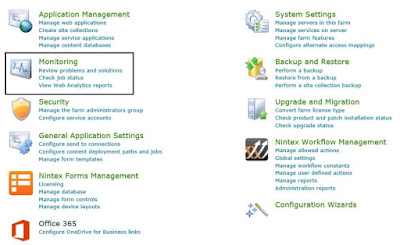
Step 1) Open SharePoint Central
Administration for the SharePoint farm, browse to Monitoring in the Central
Administration

